On this page
PlanMe.Club is our product. Zola is a mature, well-loved platform; here's where each one fits. Checked October 16, 2026.
This is not a takedown. Zola’s own help center confirms multiple events, per-event RSVPs and invite control — claims some competing blogs get wrong. The honest question for a Desi weekend is narrower: does the tool keep four overlapping guest lists, a budget split across two families, and a website that doesn’t leak the haldi to reception-only guests, without turning planning into a second full-time job?
The short answer
Pick Zola if your weekend is a ceremony and reception for everyone plus one smaller private festivity, the registry matters a lot, and you want a polished free website with a huge US paper and gift ecosystem. Pick PlanMe.Club if you have three or more festivities with overlapping guest lists, both families editing the plan, and you need budget, vendor quotes and per-festivity SMS/email in the same workspace. Use both when you love Zola’s registry but the schedule and planning side have outgrown a single-day tool — keep gifts on Zola, move guests and festivities to PlanMe.
Already comparing tools after our South Asian wedding planning tools roundup? This page is the deep dive on the pair most US couples start with. Start free on PlanMe.Club — free during beta — or keep reading for the walkthrough.
Side-by-side: PlanMe vs Zola
Every Zola row below links to Zola’s own help or product pages, re-checked today. PlanMe rows describe what ships in the product now — including what is not live yet (no registry, no seating charts).
| Zola | PlanMe.Club | |
|---|---|---|
| Festivities / events | Multiple events with name, date, time, meal choices and questions (Zola help) | Festivity-first plan: each festivity has its own guests, calendar, budget lines and vendor quotes |
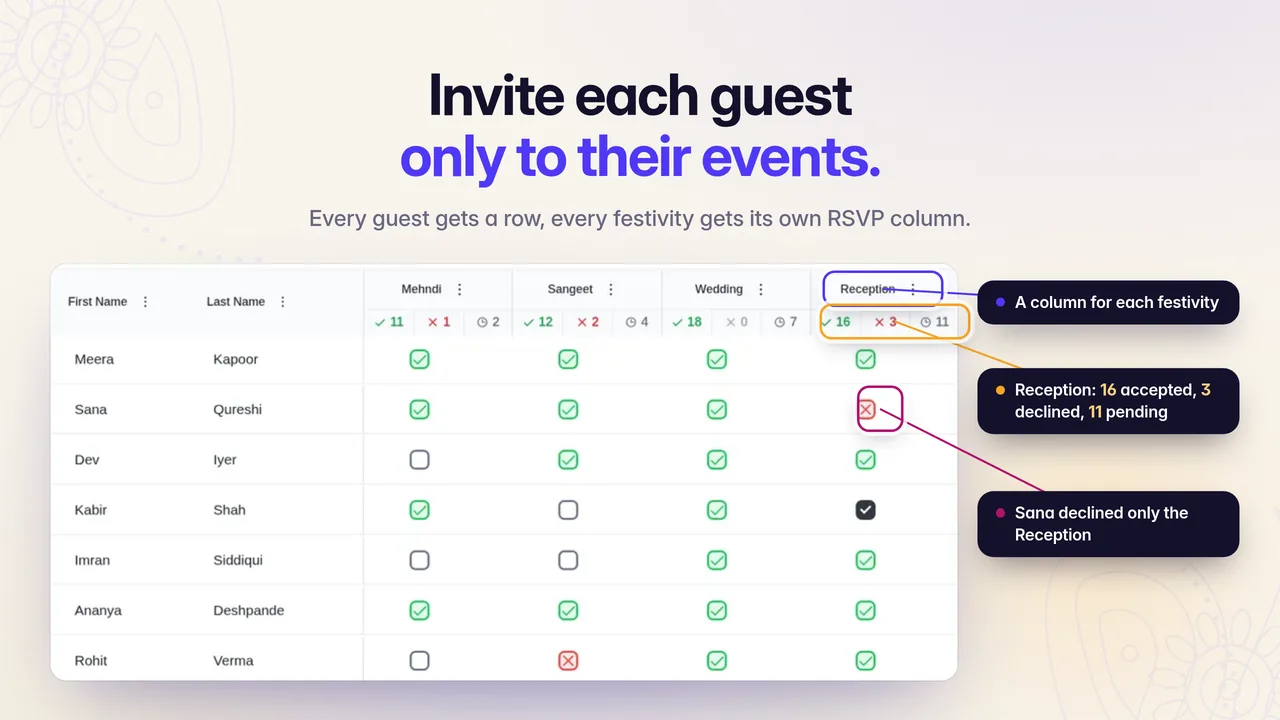
| Per-event guest lists | Tick which events each guest is Definitely Invited to (Zola help) | One master guest list; invite and RSVP status per guest per festivity |
| Per-event RSVPs | Yes, including meal preferences and custom questions; preview per guest (Zola help) | Yes — accepted, declined and pending counts per festivity |
| Website visibility | Public events on Schedule for everyone; private events hidden from Schedule, visible to invited guests on the RSVP page. No select-guest Schedule view yet (Zola help) | Wedding website shows each guest only the festivities they’re invited to |
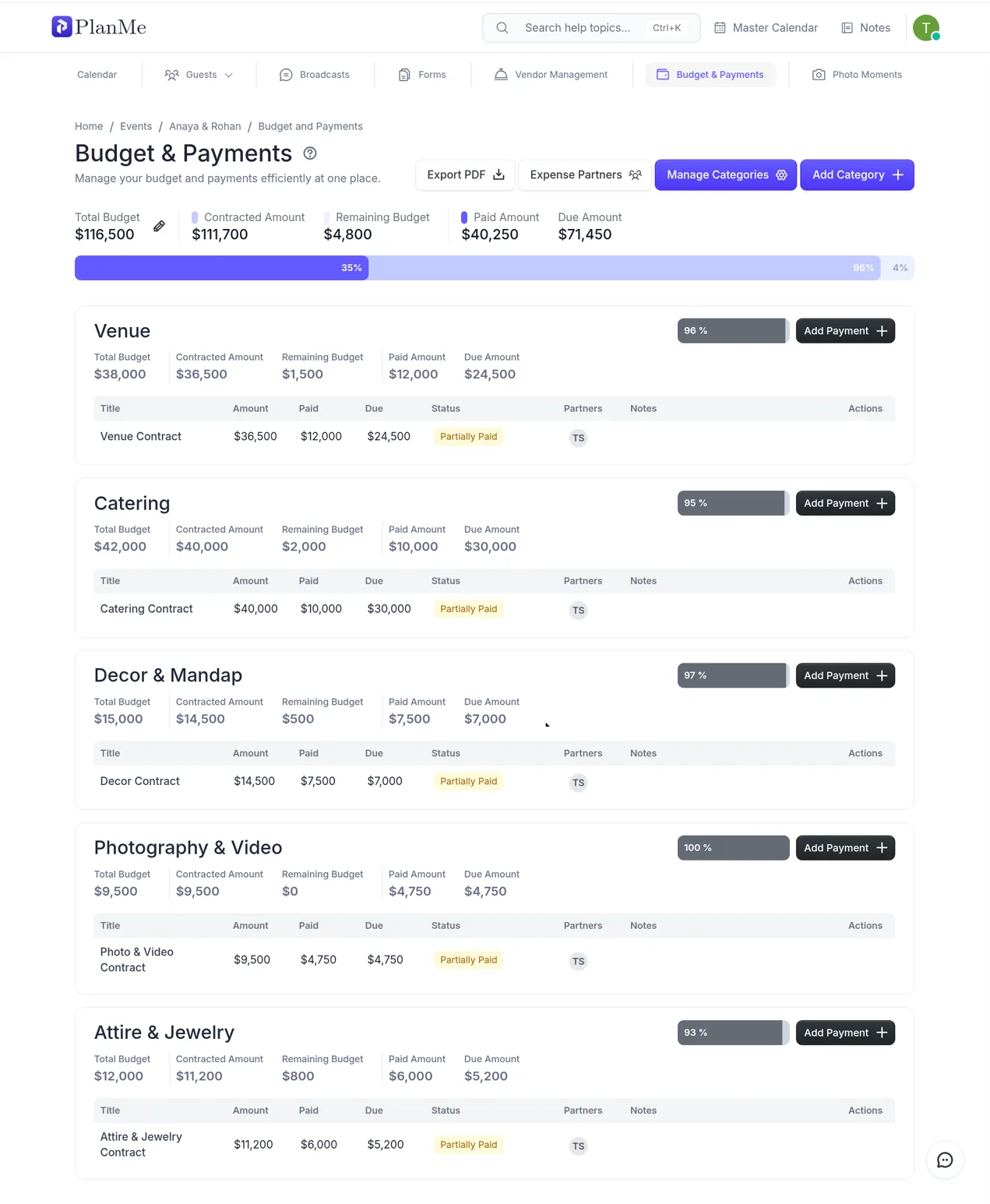
| Budget & family splits | Not a core festivity budget / expense-partner product | Budget by festivity; Expense Partners track who paid what across both families |
| Vendors | Large US vendor and stationery ecosystem around the account | Vendor quote comparison inside the event (not a vendor marketplace) |
| Collaboration | Couple-centric account with app and shared planning features | One workspace for hosts, planners, vendors and family |
| Guest messaging | Email and Zola’s own guest tools (see their current help for SMS availability) | Email and SMS broadcasts, including per festivity |
| Registry | Native Zola registry synced to the website (Zola) | No registry — link your Zola (or other) registry |
| Seating charts | Available in Zola’s planning tools | Not live yet |
| Pricing | Core product free; website free; custom domain from $17.99 (Zola) | Free during beta |
Setting up a 4-festivity weekend in each
Meet Anaya and Rohan — our fictional New Jersey showcase couple. Their weekend looks like a lot of diaspora Desi weddings: Haldi (Thu, ~80), Mehndi (Fri, ~180), Sangeet (Fri night, ~280), Ceremony + Reception (Sat, ~350). College friends are on sangeet and reception only. Reception-only colleagues must not see the haldi. Both mothers add names. The caterer needs a headcount per night, not one “wedding” number.
In Zola
Create four events under Guest List / Events. For each event, set meal choices and questions, then use the Website Settings toggles: make the ceremony and reception public if everyone should see them on the Schedule page; keep haldi, mehndi and sangeet private if only invited guests should find them (event toggles, private events). On Invite Guests to Events, tick each guest’s events. Guests RSVP per event after searching their name; you can preview each guest’s RSVP page.
What works well: per-event answers and meal choices land in one account, the website looks polished, and the registry is already there. What gets awkward at four private festivities: invited guests discover timings mainly through the RSVP flow, not a personalized Schedule. Shared FAQ and travel pages can still mention events not everyone is invited to — a pain couples describe when hunting for an Indian wedding website or asking which site handles multiple events.
In PlanMe.Club
Add the same four festivities on the plan. Invite each guest per festivity on one list. Share the wedding website: each guest only sees the festivities they’re invited to. Budget lines and vendor quotes sit under each festivity; Expense Partners track which family paid the decorator deposit. Send an SMS or email reminder to the sangeet list alone the morning of.
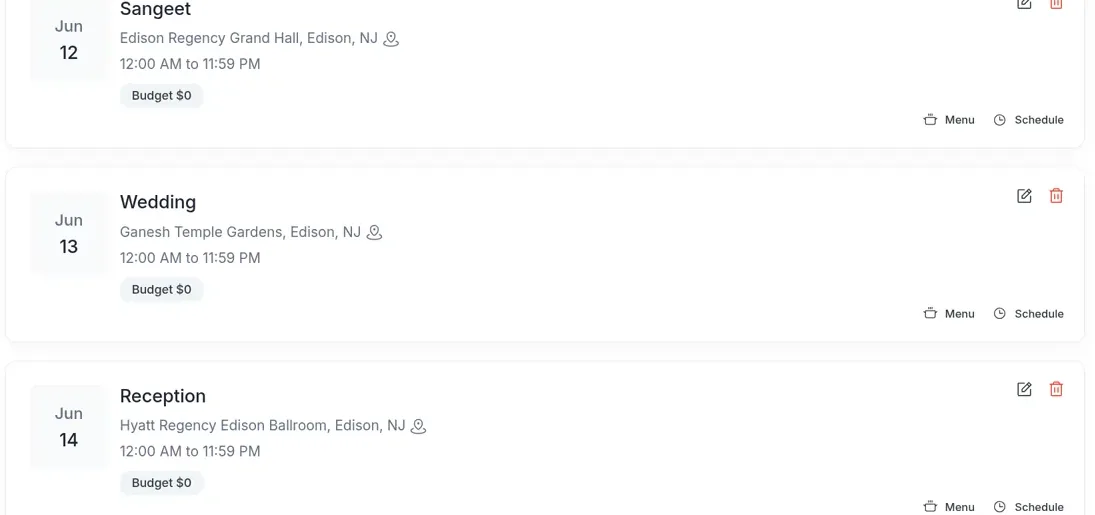
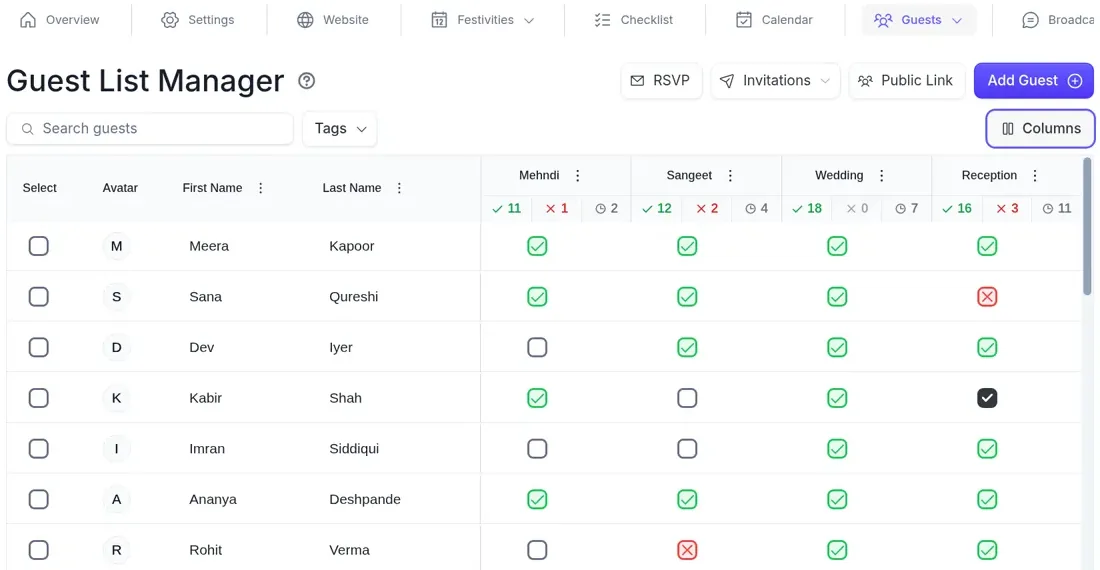
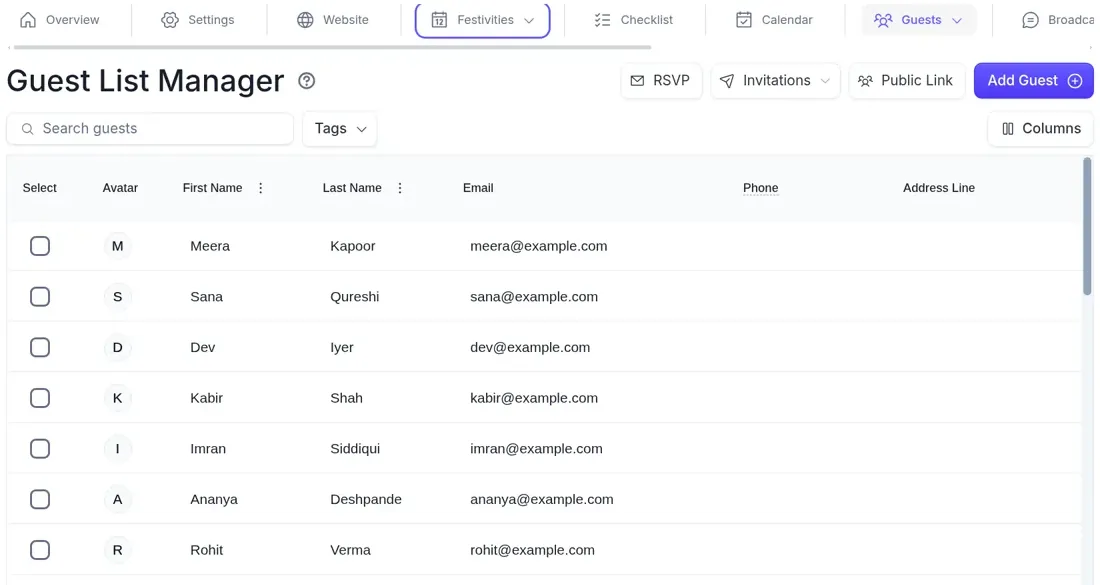
The worked invite matrix, reminder wording and caterer counts for a weekend like this live in per-guest RSVPs for a multi-event wedding weekend. For the order of nights, see Indian wedding events in order.
Festivity-by-festivity setup checklist (either tool)
Use this whether you stay on Zola, switch to PlanMe, or split registry and planning. It is the unique asset for this comparison: the same sequence works in both products.
1. Name every festivity before you import guests
Haldi, mehndi, sangeet, ceremony, reception — whatever your weekend actually is. Write the public name guests will see, the date, start time and venue. Don’t merge “mehndi/sangeet” into one event if the guest lists differ.
2. Decide public vs private (or per-guest visibility) per festivity
In Zola: public = Schedule page for everyone; private = RSVP page for Definitely Invited guests only (Zola help). In PlanMe: invites drive what appears on each guest’s website view. Write the rule down so both mothers use the same one.
3. Build one master guest list, then assign festivities
Household, side (bride/groom), email, phone, and a column or tick per festivity. Export from Zola on desktop if you’re migrating (export help). Import into PlanMe with one column per festivity when you switch.
4. Add per-festivity questions only where the caterer needs them
Meal choice on reception and sangeet; Jain/Halal/kids flags where they change the plate count. Skip novelty questions on the haldi if you’re serving one menu.
5. Set RSVP deadlines staggered by night
Sangeet often needs a caterer number earlier than the ceremony. Put the earliest deadline first in your reminder sequence.
6. Draft FAQ and travel copy that doesn’t leak private festivities
If reception-only guests can open the FAQ, don’t list the haldi address there. Put private-event details on the invite-only path (Zola RSVP details / PlanMe guest-specific website view) or in a personal message.
7. Test three households before invitations go out
Open the site as (a) all-festivities family, (b) sangeet + reception friend, (c) reception-only colleague. The colleague must not find the haldi. Fix leaks before you print a URL on stationery.
8. Wire budget and vendors to the same festivity names
Even if budget lives in PlanMe (or a sheet) while the website stays on Zola, use identical festivity names so the decorator quote for “Sangeet” matches the RSVP column.
9. Keep or link the registry deliberately
If gifts stay on Zola, put the registry URL on the website you actually send guests to. PlanMe has no registry — linking Zola is the intended path.
10. Send reminders per festivity, not one blast to everyone
A sangeet-only reminder to reception-only guests creates confusion. PlanMe can broadcast SMS/email per festivity; on Zola, segment by who is invited to that event before you send.
Where Zola is better
- Registry. Zola’s registry and website are built together (Zola wedding websites). PlanMe has none — if gifts are central, Zola wins on day one.
- Polish, templates and brand trust. Hundreds of templates, a free site, optional custom domain from $17.99 (Zola domains), and a product millions of couples already know. For US diaspora guests who have used Zola at friends’ weddings, the RSVP flow feels familiar.
- Mobile app and scale. Planning on a phone, paper suites and a large vendor/stationery ecosystem around the same login are Zola strengths PlanMe does not match today.
- Seating charts. Available in Zola; not live in PlanMe. If you need a seating chart this month, do not pick PlanMe for that job.
- Simple weekends. Ceremony + reception for everyone, plus one private dinner or mehndi, is exactly what public/private events were designed for. Switching tools would cost more time than it saves.
Where PlanMe is better
- Festivity-first structure. Guests, calendar, budget lines and vendor quotes all hang off the same festivities — not a website bolted onto a gift registry.
- Website shows only invited festivities. Each guest’s view matches their invite. That is the gap couples hit when Zola’s Schedule page can’t personalize (Zola’s own note).
- Family cost splits. Expense Partners track who paid what when both sets of parents are funding different nights. Pair with how to budget a multi-event wedding.
- Vendor quote comparison inside the event. Compare decorator or DJ quotes next to the festivity they cover — not a public vendor marketplace, a workspace for the quotes you already requested.
- One workspace for hosts, planners, vendors and family. Mothers, the planner and the couple stop maintaining parallel spreadsheets.
- Per-festivity email and SMS. Remind only the sangeet list, or only pending ceremony replies, without blasting reception-only colleagues.
- Price while in beta. Free during beta, with no custom-domain fee required to publish a working guest site.
PlanMe is newer. It does not replace Zola’s registry, seating or paper shop. Treat it as the planning and guest-visibility layer for multi-festivity weekends — especially South Asian ones — not as a clone of every Zola feature.
Can you use both?
Yes, and for many Desi couples it is the least painful path. Keep the Zola registry (and any paper you already ordered with a Zola aesthetic). Move the guest list, festivities, RSVPs, budget and family collaboration into PlanMe. Put the Zola registry link on the PlanMe wedding website or FAQ. Export guests from Zola on desktop (export help), import the CSV into PlanMe with one column per festivity, then turn off Zola website RSVPs once the new links are live so nobody answers in two places.
Step-by-step migration, including the “close Zola RSVPs, keep the registry” step, is in Zola alternatives for South Asian weddings. If you are still choosing among several tools, start with the best South Asian wedding planning tools (2026) table, then come back here for the PlanMe–Zola detail.
Ready to try the PlanMe side of that split? Create a free PlanMe.Club account — free during beta — and bring your Zola export.
Quick aside: Zola vs Joy for Desi weekends
People searching “Zola vs Joy for Desi” are usually picking between two mature free websites, not between Zola and PlanMe. Short version: Joy’s help center describes a personalized schedule and RSVP flow so each guest sees only their events — which directly addresses Zola’s Schedule-page limit. Zola still tends to win on registry depth and brand familiarity. Neither is built as a festivity-first budget and vendor workspace for two families; that is where PlanMe sits. Opinion pieces like The Curated Knot on Joy/Zola for Indian weddings are useful as perspective, not as a source of product facts — we rely on each company’s own docs above. The full three-way version, with The Knot, texting abroad and cash fund fees, is in Joy vs Zola vs The Knot for multi-event weddings.
Sources
All product pages and help articles checked October 16, 2026. Reddit threads are cited for the questions couples ask, not as proof of features. The Curated Knot link is opinion. PlanMe.Club is our product.
- Zola: RSVPs for multiple events · Zola: multi-event RSVP preview · Zola: private events · Zola: who’s invited / who RSVPs · Zola: website settings toggles · Zola: export guest list · Zola wedding websites · Zola custom domains · Zola: how much does it cost?
- Joy: RSVPs and schedules when not everyone is invited
- r/weddingplanning: Website for Indian wedding · What wedding website when you have multiple events
- Opinion (not a product source): The Curated Knot on Joy/Zola for Indian weddings
Common questions
Is Zola good for Indian weddings?
Yes for many Indian and other South Asian weekends — especially a ceremony and reception for everyone plus one smaller private festivity. Zola’s help center confirms multiple events, per-event RSVPs, meal choices and invite control. The limit for a four-plus festivity Desi weekend is schedule visibility: private events stay off the Schedule page and only appear on the RSVP page for invited guests. Couples on Reddit ask about exactly that for Indian wedding websites. Checked October 16, 2026.
Can Zola show different events to different guests?
Partly. You mark each guest as Definitely Invited to specific events, and only those guests can RSVP to them. Private events are hidden from everyone on the Schedule page; invited guests see them on the RSVP page after searching their name. Zola’s help center says it does not currently offer a way to show events to select guests on the Schedule page. PlanMe’s wedding website shows each guest only the festivities they’re invited to. Checked October 16, 2026.
Is PlanMe free?
PlanMe.Club is free during beta. There is no paid plan listed in the product today. We’ll update this page when pricing changes.
Does PlanMe have a registry?
No. PlanMe does not run a gift registry. Most couples who plan in PlanMe keep a Zola (or Joy or The Knot) registry and link it from the wedding website or FAQ. That combo is covered in the “Can you use both?” section of this article.
Can I move my Zola guest list to PlanMe?
Yes. On a desktop computer, Zola lets you export the full guest list or addresses from the Guest List menu, and RSVPs from Track RSVPs as a CSV or Excel file (not from the app). PlanMe imports a CSV or Excel file; map one column per festivity so a Yes in the Sangeet column invites that guest to the sangeet. Prior Zola answers are not imported as live RSVPs, so mark them by hand or re-ask only guests still pending.
Does PlanMe do seating?
Not yet. Seating charts are on the roadmap and are not live today. Zola and several other tools offer seating today. We’ll update this page when PlanMe’s ships.